
Running a small business in the U.S. means juggling sales, operations, customer service, and compliance—all at the same time. Bookkeeping often ends up last on the list, even though accurate financial records are the foundation of healthy business decisions. That’s exactly where virtual bookkeeping services have become a game-changer.
Instead of hiring an in-house bookkeeper or trying to manage everything yourself, virtual bookkeeping allows you to work with professional bookkeepers remotely using secure, cloud-based tools. You get accurate books, real-time financial updates, and monthly support without the cost and complexity of hiring staff.
For small business owners who want clean books, stress-free tax season, and better control of their cash flow, virtual bookkeeping offers a modern, affordable, and highly efficient alternative to traditional bookkeeping.

Table of Contents
Key Takeaways
Virtual bookkeeping helps small businesses save time and reduce monthly costs by eliminating the need for in-house staff.
Cloud-based tools provide real-time access to financial records, cash flow insights, and accurate monthly reports.
You gain support from trained, professional bookkeepers without handling hiring, training, or payroll overhead.
Virtual bookkeeping is highly scalable — perfect for startups, growing businesses, and seasonal industries.
Bank feeds, automated categorization, and secure document sharing improve accuracy and reduce manual errors.
It offers secure, encrypted data handling, which protects sensitive business and financial information.
Consistent monthly bookkeeping supports easier tax filing and helps small business owners stay compliant year-round.
What Is Virtual Bookkeeping?

Virtual bookkeeping is a modern, cloud-based way of managing your business’s financial records without hiring an in-house bookkeeper. Instead of working from your office, a virtual bookkeeper handles your books remotely using secure online tools such as QuickBooks Online, Xero, Dext, and other accounting platforms.
They perform the same tasks as a traditional bookkeeper — recording transactions, reconciling bank accounts, organizing receipts, generating reports, and keeping your books accurate — but everything is done online through encrypted portals and automated workflows.
For small businesses, virtual bookkeeping offers a simpler, more affordable, and more flexible way to stay financially organized throughout the year. You get professional support and clean books, while still keeping full visibility and control over your finances.
If you want a deeper explanation of how virtual bookkeeping works and what a virtual bookkeeper actually does, you can read our complete guide here.
How Virtual Bookkeeping Works
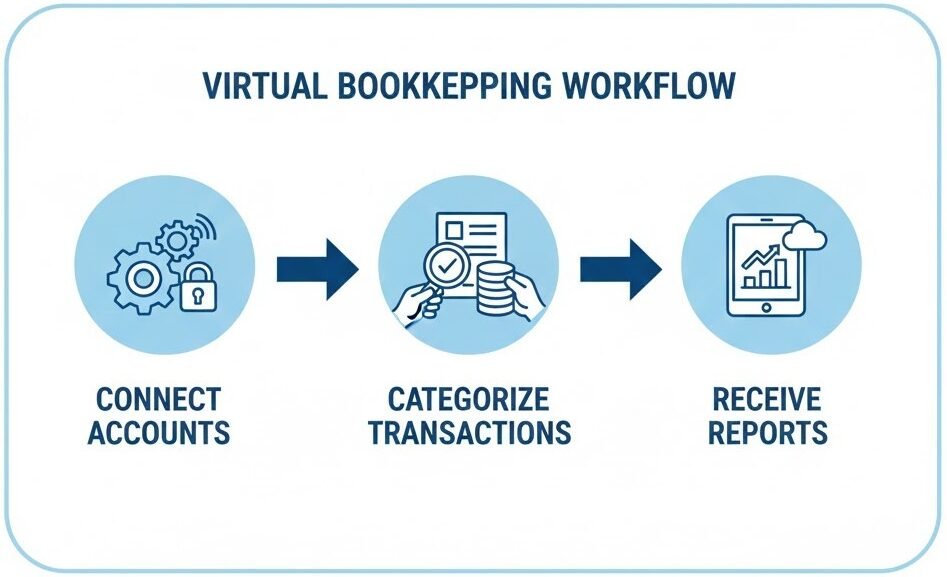
Virtual bookkeeping follows a simple, secure, and efficient workflow that allows businesses to maintain accurate financial records without managing the process in-house. Everything is done remotely using cloud software, encrypted portals, and automated tools.
First, your bank accounts, credit cards, and financial apps are connected to a secure accounting platform such as QuickBooks Online or Xero. These connections automatically import your transactions every day.
Next, your virtual bookkeeper categorizes each transaction, matches receipts, organizes documents, and completes monthly reconciliations to ensure that your financial records are always accurate.
Finally, you receive monthly financial statements—such as profit & loss, balance sheet, and cash flow reports—along with clear communication and support whenever needed.
Benefits of Virtual Bookkeeping Services for Small Businesses

1. Cost Savings
Virtual bookkeeping significantly reduces overhead costs by eliminating the need for an in-house employee. You no longer pay for office space, payroll taxes, employee benefits, or training. Instead, you simply pay for the services you need, making it a budget-friendly option for small businesses that want consistent financial support without the high expense.
2. Access to Professional Bookkeepers
With virtual bookkeeping, you gain access to trained professionals who understand accounting, compliance, and small-business financial management. Instead of relying on part-time staff or handling the books yourself, you benefit from an experienced team that keeps your records clean and accurate year-round.
3. Real-Time Financial Insights
Cloud-based bookkeeping tools offer real-time visibility into your business’s finances. You can check your income, expenses, cash flow, and financial reports anytime without waiting for monthly updates. This helps you make faster, more confident business decisions.

4. Scalability & Flexibility
Whether you’re a new startup or a growing business, virtual bookkeeping adjusts to your needs. You can scale up during busy seasons and scale down when things slow, without the complexity of changing staff or contracts. It’s a flexible solution ideal for businesses that experience fluctuations in workload.
5. Improved Accuracy Through Automation
Virtual bookkeepers use modern accounting software that automates tasks like transaction imports, categorization, and bank reconciliation. Automation reduces human error, speeds up the process, and ensures your financial data remains consistent and accurate throughout the year.
6. Enhanced Data Security
Secure portals, encrypted file-sharing, and cloud-based platforms help protect sensitive financial information. Your records are stored safely online with regular backups, reducing risks associated with physical paperwork or local computers.
7. More Time to Focus on Your Business
By outsourcing bookkeeping, you free up valuable time to focus on growth, customers, and operations. Instead of worrying about receipts, reconciliations, or monthly reports, you can concentrate fully on running your business.
8. Better Collaboration With Tax Professionals
Clean, up-to-date books make tax season significantly easier. Your tax preparer or accountant can access organized records, identify deductions, and prepare accurate returns without delays or headaches.
9. Paperless Workflow
Virtual bookkeeping supports a completely digital process. You can upload receipts, invoices, and documents online—eliminating physical storage, lost paperwork, and clutter. A paperless system also improves tracking and audit readiness.
10. Consistent Monthly Reporting
You receive timely financial statements every month, including profit & loss reports, balance sheets, and cash flow summaries. This consistency improves planning, forecasting, and long-term decision-making.
Virtual Bookkeeping vs In-House Bookkeeping
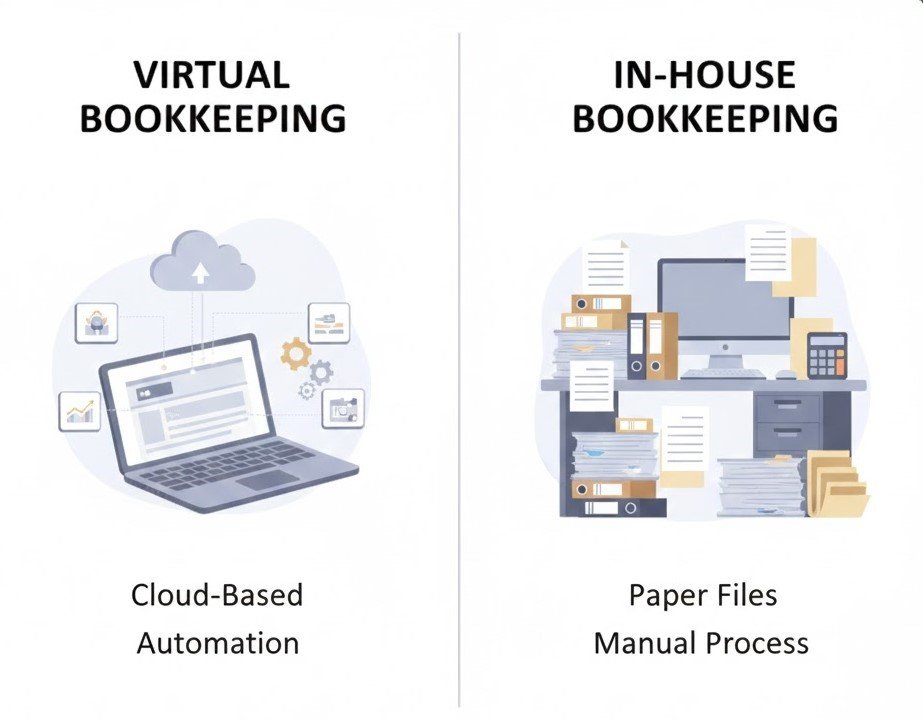
Virtual bookkeeping and in-house bookkeeping both serve the same purpose—maintaining your business’s financial records—but the process, cost, and efficiency are very different. Understanding these differences helps small business owners choose the option that best fits their budget, workflow, and long-term goals.
In-house bookkeeping involves hiring an employee to work from your office, manage daily financial tasks, and handle month-end close. While this can offer hands-on support, it also comes with higher costs such as payroll taxes, benefits, workspace, training, and software licensing.
Virtual bookkeeping, on the other hand, is performed remotely by professionals using secure cloud-based tools. You get expert-level support without the expense of hiring staff, and you only pay for the services you need. It’s flexible, scalable, and ideal for businesses that want accuracy and organization without growing overhead.
Comparison Table
| Feature | Virtual Bookkeeping | In-House Bookkeeping |
|---|---|---|
| Cost | Lower, pay only for monthly services | Higher: salary, benefits, training, office space |
| Expertise | Access to professional bookkeepers with industry experience | Depends on the employee’s skillset |
| Scalability | Easy to scale up or down | Difficult and expensive to adjust |
| Tools & Automation | Uses cloud-based systems and automation for accuracy | Often depends on manual processes |
| Flexibility | Works remotely with no fixed hours required | Fixed working hours, less flexible |
| Data Security | Encrypted portals and cloud backups | Depends on in-house systems and procedures |
| Reporting | Regular monthly reports, dashboards, real-time insights | Reporting depends on staff workload |
| Hiring / Training | No hiring or HR management required | Requires ongoing hiring, training, and supervision |
Who Should Use Virtual Bookkeeping Services?
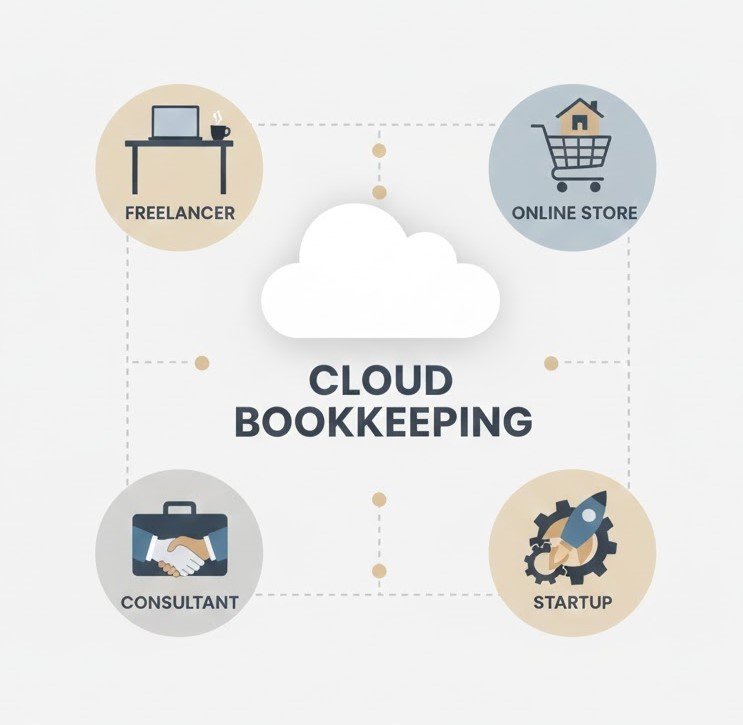
Virtual bookkeeping is a practical solution for a wide range of small businesses, especially those that want accurate financial records without the expense of hiring in-house staff. It’s designed to simplify daily accounting tasks while giving owners more time to focus on growth, customers, and operations.
This approach works particularly well for businesses that experience seasonal changes, have remote teams, or prefer using cloud-based tools for better convenience and control. Whether you’re a startup or an established company, virtual bookkeeping can help you stay organized and compliant year-round.
Here are the types of businesses that benefit the most:
- Startups and early-stage businesses
Businesses needing affordable, flexible bookkeeping without hiring full-time staff. - Solo entrepreneurs and freelancers
Ideal for self-employed professionals who want clean records and stress-free tax filing. - Service-based businesses
Consultants, agencies, salons, contractors, and similar industries that need simple but consistent monthly bookkeeping. - E-commerce and retail businesses
Perfect for companies handling online payments, multiple platforms, and inventory tracking. - LLCs and small corporations
Helps maintain compliance, accurate records, and professional reporting for investors or partners. - Businesses with remote or hybrid teams
Cloud-based systems make financial management easier from anywhere.
Tools Used in Virtual Bookkeeping

Virtual bookkeeping relies on modern, cloud-based tools that automate financial tasks, improve accuracy, and make collaboration easier for both business owners and bookkeepers. These tools help import transactions, organize receipts, reconcile accounts, process payroll, and maintain clean, real-time financial records.
Most small businesses don’t need to install anything or manage complex software. Instead, everything is handled through secure online platforms that keep your financial data accessible from any device.
Here are some of the most commonly used tools in virtual bookkeeping:
QuickBooks Online
One of the most popular small-business accounting platforms. It imports bank transactions automatically, categorizes expenses, manages invoices, and generates financial reports with ease.
Xero
A cloud-based accounting software known for its clean interface, automation capabilities, and seamless integrations with hundreds of business apps.
Dext (formerly Receipt Bank)
Used for capturing receipts and invoices. Simply take a photo, and Dext extracts and organizes the data directly into your accounting software.
Bill.com
Helps manage accounts payable and receivable. Ideal for businesses needing simplified vendor payments and client billing.
Gusto
A payroll platform that integrates with accounting software. It handles payroll runs, tax filings, employee onboarding, and HR tasks.
Secure Client Portal
Most virtual bookkeeping firms use encrypted portals for document sharing, secure messaging, e-signatures, and storing monthly reports.
Cost of Virtual Bookkeeping Services
The cost of virtual bookkeeping varies depending on your business size, monthly transaction volume, and the type of support you need. Unlike hiring an in-house employee, virtual bookkeeping doesn’t require paying a salary, benefits, hardware, or training expenses. Instead, most firms offer clear, predictable monthly pricing based on your level of activity.
For small businesses, virtual bookkeeping is usually more affordable because you only pay for the actual services required—whether that’s monthly reconciliations, reporting, payroll support, or catch-up work.
Here are the main factors that influence pricing:
- Monthly transaction volume
More transactions require more time to categorize, reconcile, and review. - Number of accounts
Bank accounts, credit cards, PayPal, Stripe, or merchant accounts increase workload. - Type of business
E-commerce, service-based businesses, and multi-state operations require different levels of detail. - Add-on services
Payroll management, sales tax filing, invoicing, and accounts payable/receivable support can increase the monthly fee. - Clean-up or catch-up work
If your books haven’t been updated in months, a one-time clean-up fee may apply.
For most small businesses, virtual bookkeeping offers a cost-effective way to maintain accurate financial records without hiring full-time staff or managing the process yourself.
How to Choose the Right Virtual Bookkeeper
Selecting the right virtual bookkeeper is an important decision for any small business. You want someone who understands your industry, works with reliable cloud tools, and provides consistent monthly reporting without unnecessary complexity. A good virtual bookkeeper should make your financial management easier—not harder.
To find the right fit, focus on qualifications, communication style, pricing structure, and how well their services match your business needs. The goal is to partner with a professional who can keep your books accurate, up-to-date, and ready for tax season at all times.
Here are the key factors to consider:
- Experience and certifications
Look for bookkeepers familiar with small-business accounting, tax basics, and cloud-based bookkeeping platforms. - Software expertise
QuickBooks Online, Xero, Dext, Gusto, and Bill.com experience ensures smooth daily operations. - Reporting quality
Monthly financial statements should be accurate, timely, and easy for you to understand. - Security and compliance
They should use encrypted portals and follow secure data-handling processes. - Communication and availability
Clear, consistent communication makes it easier to resolve questions throughout the month. - Transparent pricing
Choose a team that offers clear, predictable monthly pricing without hidden surprises. - Responsiveness
You should be able to reach them when needed—especially during month-end or tax season.
By evaluating these areas, you can confidently choose a virtual bookkeeper who supports your business’s growth and helps you stay financially organized year-round.
Frequently Asked Questions
Is virtual bookkeeping worth it?
Yes. Virtual bookkeeping gives you professional monthly support at a much lower cost than hiring in-house staff. You get accurate financial records, real-time insights, and consistent reporting without managing employees or handling bookkeeping tasks yourself.
What is the biggest advantage of electronic bookkeeping?
The biggest advantage is accuracy and automation. Bank feeds, cloud tools, and automated categorization reduce manual errors and keep your records updated automatically.
Is there a high demand for virtual bookkeepers?
Yes. As businesses move toward cloud software and remote operations, the demand for virtual bookkeepers in the U.S. continues to rise—especially among small businesses and startups.
How does virtual bookkeeping work?
Virtual bookkeeping works through secure cloud tools that import your transactions, categorize expenses, reconcile accounts, store receipts, and generate monthly reports—all handled remotely by a professional bookkeeper.
What financial statements does a virtual bookkeeper prepare?
A virtual bookkeeper prepares monthly Profit & Loss statements, balance sheets, cash flow reports, transaction summaries, and account reconciliations.
Is virtual bookkeeping safe for sensitive financial data?
Yes. Reputable bookkeepers use encrypted portals, secure servers, and cloud-based backups that protect your financial information better than traditional paper or local storage.
Can a virtual bookkeeper help with IRS audits or notices?
They can assist by preparing clean records, providing reports, and organizing your financial data. For direct IRS representation, you may need a CPA or enrolled agent, but virtual bookkeepers offer essential support.
Does virtual bookkeeping replace an accountant or CPA?
No. A virtual bookkeeper maintains your monthly records, while a CPA handles tax planning, filing, and advisory. Both roles complement each other and work together.
What documents do I need to provide each month?
You typically provide bank statements, receipts, invoices, payroll records, and any financial documents not automatically imported through your connected accounts.
Can virtual bookkeeping support invoicing and bill payments?
Yes. Many virtual bookkeepers handle invoicing, accounts receivable, accounts payable, and vendor payments depending on your service plan.
How quickly can virtual bookkeeping be set up for a new business?
Most setups take 1–3 business days, depending on the number of accounts and tools that need to be connected. Clean-up jobs may take longer.
What industries benefit most from virtual bookkeeping?
It’s ideal for service providers, consultants, e-commerce stores, contractors, retail shops, freelancers, and any small business wanting accurate monthly records.
Do virtual bookkeepers work with QuickBooks, Xero, or other systems?
Yes. Most professionals specialize in cloud platforms like QuickBooks Online, Xero, Dext, Gusto, and Bill.com.
Can I switch to virtual bookkeeping mid-year?
Absolutely. You can move to virtual bookkeeping at any time. Your bookkeeper will help organize previous months and bring everything up-to-date before monthly work starts.
Conclusion

Virtual bookkeeping has become one of the most efficient and cost-effective ways for small businesses to manage their financial records. With cloud-based tools, real-time insights, and support from trained professionals, it removes the stress of daily bookkeeping while keeping your business organized and compliant year-round.
Whether you’re a startup, service provider, freelancer, or a growing company, virtual bookkeeping helps you save time, reduce costs, and maintain accurate financial reports—without hiring in-house staff or managing complex workflows on your own.
If you ever need help keeping your books clean, organized, and ready for tax season, our team is always here to guide you through the next steps whenever you’re ready.